

Latest Version
Lorenzo Paderi
Travel & Local
Linux
Free
it.mijorus.smile
Report a Problem
More About Smile
A Smarter Way to Express Yourself on Linux
Picture this: you are drafting an important document, coding, or chatting with colleagues on your Linux workstation, and you need the perfect emoji to convey your tone. Instead of opening a web browser, searching for the symbol, copying it, and pasting it back into your application, you could simply trigger a lightweight utility designed specifically for this task. The Smile Linux emoji picker by developer Lorenzo Paderi is built to solve this exact point of friction, offering a streamlined, system-wide solution for Linux users.
Key Features of the Smile Linux Emoji Picker
While many desktop environments include basic character maps, they are often clunky and slow to navigate. The Smile Linux emoji picker stands out by focusing purely on speed, simplicity, and user customization. Here are the primary features that make it a valuable addition to your desktop setup:
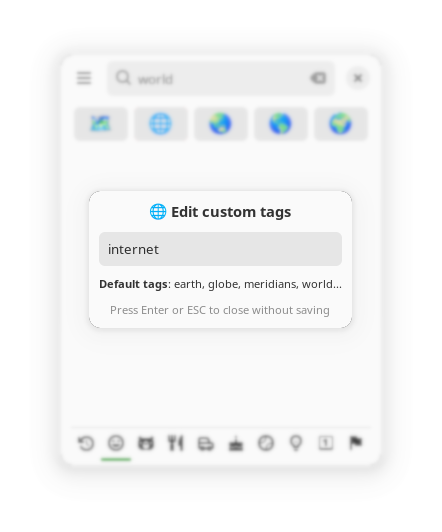
- Custom Tags Support: Beyond standard search terms, you can assign personalized tags to your favorite emojis. This allows you to find your most-used symbols using keywords that make sense to your personal workflow.
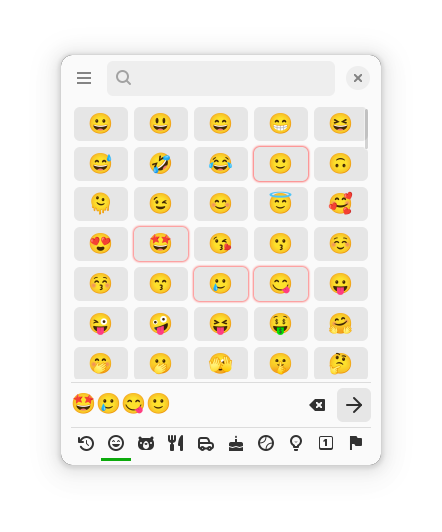
- Clean and Lightweight Interface: Designed with modern Linux desktop aesthetics in mind, the application launcher is distraction-free and loads instantly.
- Seamless Integration: It runs quietly in the background, ready to be summoned whenever you need to insert an emoji into a text field, terminal, or chat client.
Who Is This Application For?
This utility is ideal for content creators, developers, and remote professionals who spend their day typing on Linux distributions and want to keep their hands on the keyboard. If you find the default system emoji tools lacking or non-existent in your current window manager or desktop environment, the Smile Linux emoji picker offers a highly focused, independent alternative that does one job exceptionally well.
Our Editorial Verdict
Lorenzo Paderi has crafted a highly functional, no-nonsense tool that respects system resources while dramatically improving daily communication. The addition of custom tag support elevates it from a simple directory to a personalized productivity tool. If you want to streamline your digital expression, we highly recommend exploring this utility. To try it out on your system, visit the official Flathub store page to get started.
Rate the App
User Reviews









Popular Apps










Editor's Choice